
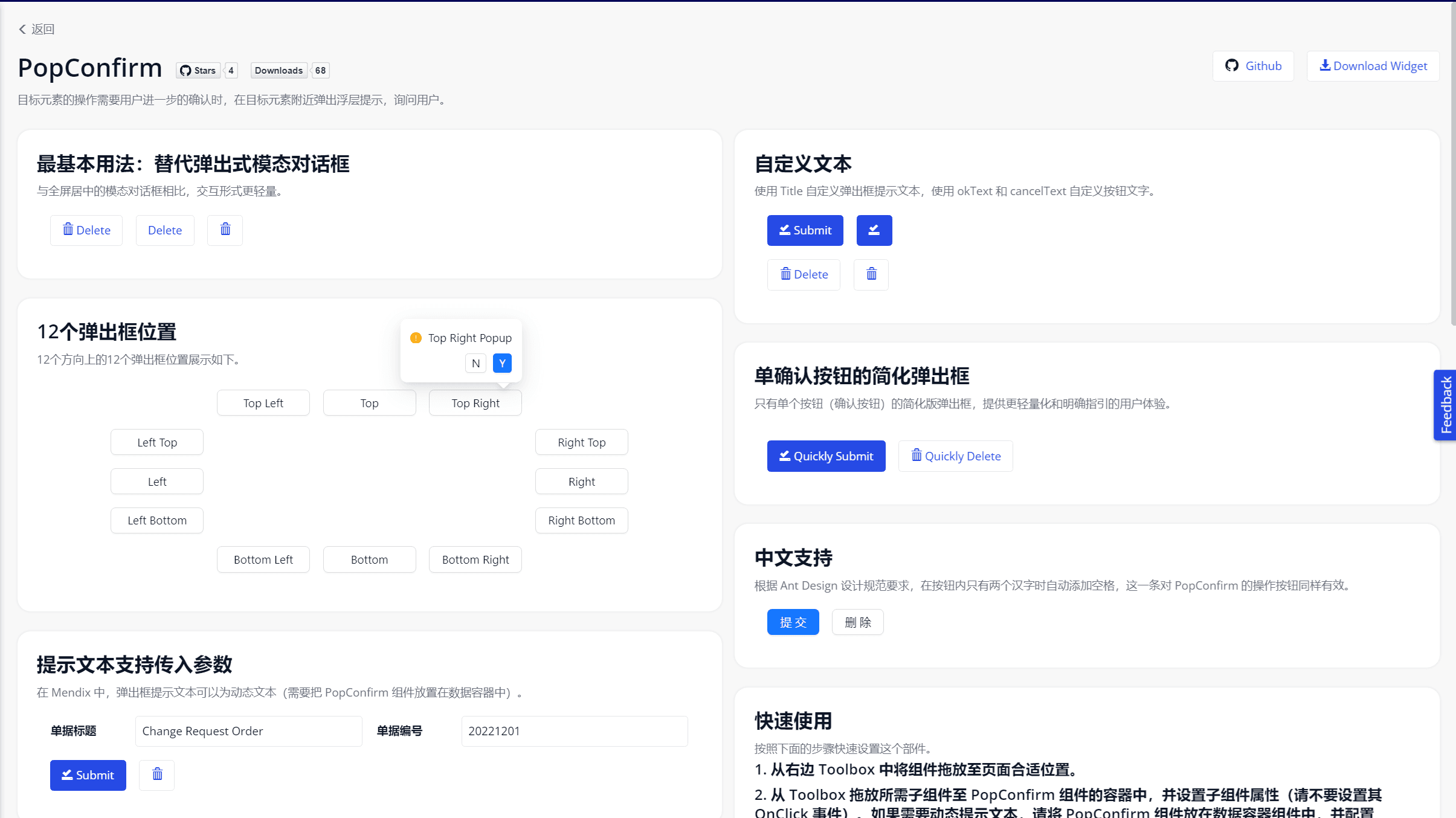
【Open Source】Mendix Native Popconfirm Component Based on Ant Design
Background
In Mendix development, when users perform sensitive operations like "Delete" or "Submit", a secondary confirmation is usually required. The native Mendix approach is to pop up a global modal (Popup Window) or use the browser's built-in window.confirm().
However, these two methods have obvious experience defects in modern Web applications:
- The global modal is too heavy and interrupts the user's flow.
- The browser's built-in Confirm style is outdated and cannot maintain consistency with enterprise-level UI.
To provide a lighter and more elegant anti-mistouch interaction, we introduced Ant Design's Popconfirm component into Mendix.
The Challenge
The core difficulties in developing this component lie in "Widgets within Widgets" and "Event Interception":
- Content Wrapping: Popconfirm needs to wrap a trigger element (usually a button). In Mendix, this means our component must support accepting other Mendix Widgets as child nodes.
- Event Flow Control: When the user clicks the wrapped button, the button's original Action cannot be triggered directly; instead, the popconfirm must pop up first. Only when the user clicks "Confirm" in the popconfirm will the actual business logic be executed.
Our Solution
We perfectly solved the above problems using React's cloneElement and Mendix's ActionValue API.
1. Seamless Slot Experience
Developers can drag and drop any Mendix component (such as native Button, text, icon, or even the Mx Antd Button mentioned earlier) into the Popconfirm's DropZone in Studio Pro. The component will automatically take over the child element's click event.
2. Rich Customizability
- Text Customization: Supports customizing the main Title and detailed Description of the popconfirm.
- Button Customization: The text and style of the Confirm/Cancel buttons (e.g., setting the confirm button to Danger red) can be configured independently.
- Position Control: Supports 12 popup directions (e.g., TopLeft, BottomRight, etc.), automatically adapting to page edges to prevent obstruction.
3. Asynchronous Operation Support
The "Confirm" button of the popconfirm perfectly integrates with Mendix's Action mechanism. If the bound Microflow is a time-consuming operation, the confirm button will automatically show a Loading state until the backend finishes executing, and then the popconfirm will close.
Open Source Impact
- Interaction Experience Upgrade: Brings delicate interaction experiences comparable to top SaaS products to Mendix applications.
- Reduced Development Burden: Developers no longer need to draw a dedicated Popup page for a simple confirmation prompt.
- Open Source Giveback: This component is also part of the Mendix-Antd open-source ecosystem and is completely free and open.
Try it out
Online Demo: Mendix Antd Widget Demo
Source Code (GitHub): GavinCnod/mendix-antd-popconfirm
Installation Guide
- Download the
.mpkfile from GitHub Release. - Place it in your Mendix project directory
{YourMendixProjectFolder}/widgets/. - Synchronize the project in Studio Pro, drag the component onto the page, and place a button inside it.